How to Use Your iPhone 17 Pro (or any) as a Photographer: Cycling & Sports Edition
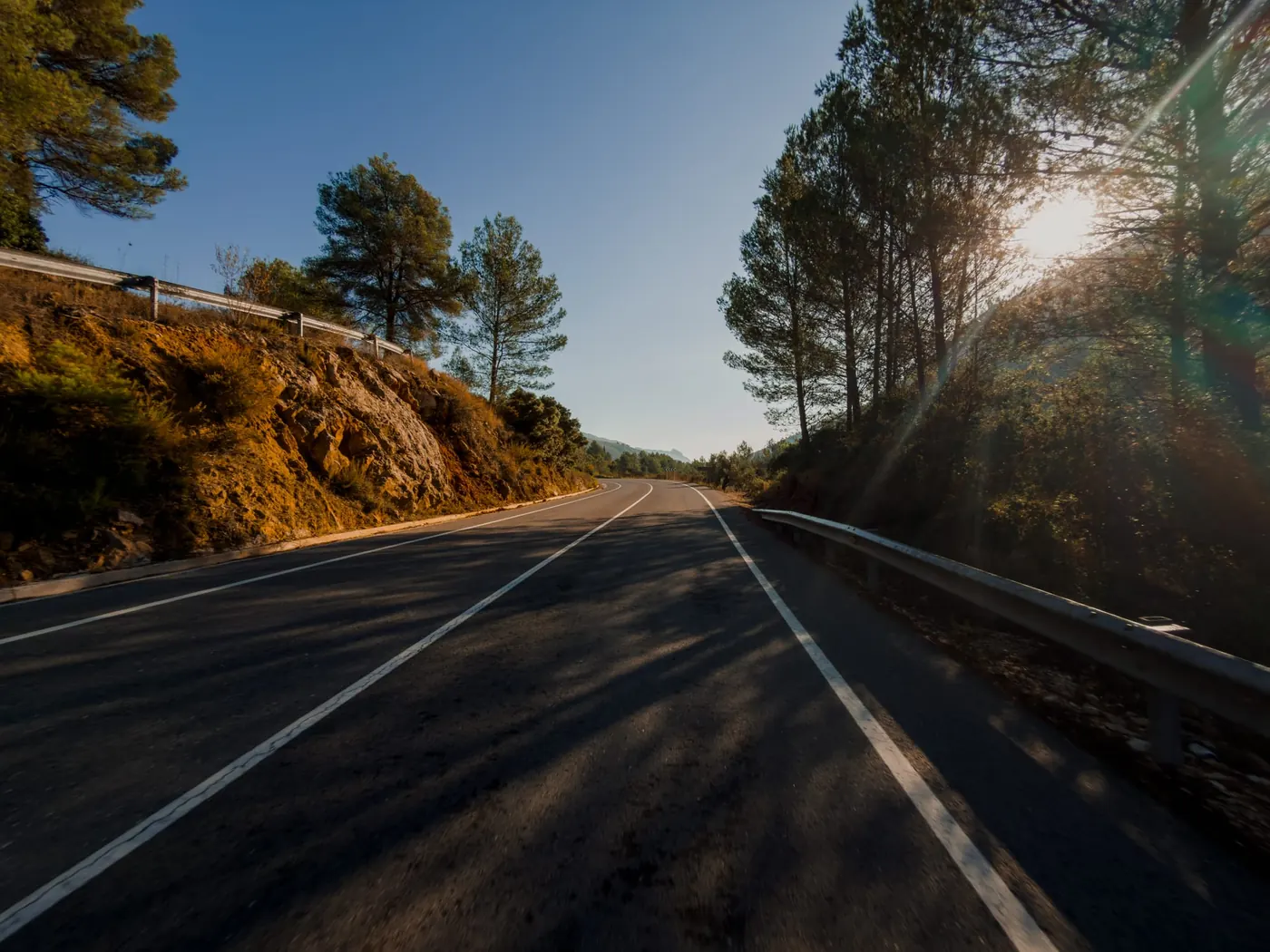
Why the iPhone 17 Pro is a Game-Changer for Sports Photography
Look, I've based this blog on an iPhone 17 pro as this is what I use, however the phone you have in your pocket is always more than capable with the quality of them these days.
However, the iPhone 17 Pro has raised the bar for mobile photography. With its 48MP ProRAW sensor, exclusive 5x telephoto zoom, and upgraded low-light capabilities, it’s no longer just a phone—it’s a professional camera in your pocket.
For cyclists and sports enthusiasts, this means you can capture the speed of a sprint, the scale of a mountain pass, or the emotion of a finish line without carrying bulky gear. Whether you’re riding solo, joining a group ride, or documenting a race, the iPhone 17 Pro has the tools to help you shoot like a pro.
Setting Up Your iPhone 17 Pro for Action Shots
Great shots start before you press the shutter. Spend a few minutes adjusting your settings so your photos are ride-ready.
Camera Settings You Should Always Adjust
Enable ProRAW + 48MP: Delivers maximum detail and editing flexibility.
Use 4:3 ratio: Capture the full sensor—crop later for Instagram.
Turn on gridlines: Helps balance horizons and riders.
Lock focus/exposure: Tap and hold to keep light balanced during fast rides.
Enabling ProRAW and 48MP Capture
ProRAW combines RAW editing power with Apple’s smart image processing. For cycling, that means sharper jersey textures, clear road details, and skies you can adjust later without losing quality.
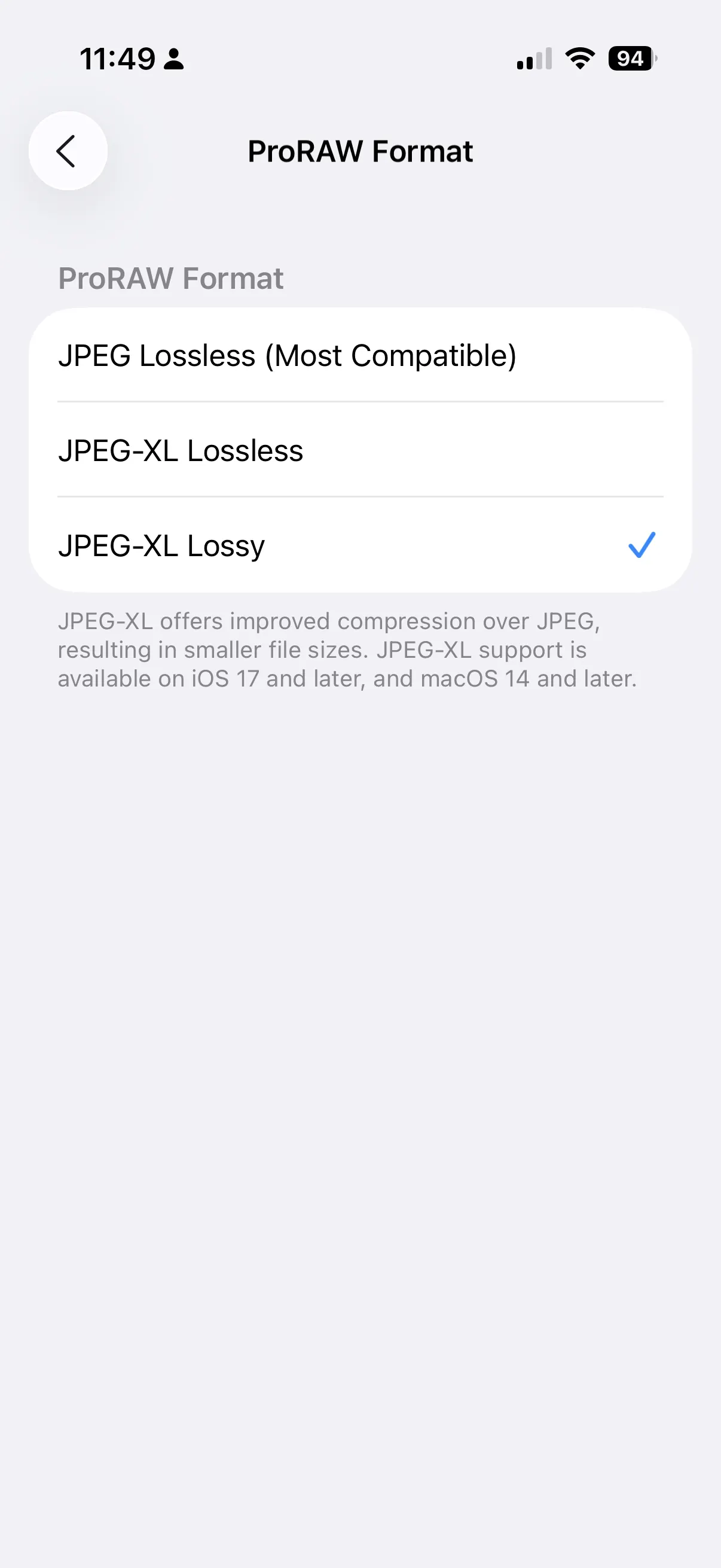
Head to settings - Camera - Formats
Turn on: High Efficiency and ProRAW Resolution Control
Select JPEG-XL Lossy: This is good because it keeps file sizes low but it doesn't restrict the data that is captured.
Tricks to Take Better Cycling Photos with the iPhone 17 Pro
Mastering Angles: Wide, down, and landscapes
Wide angle: Get that photo from behind the bike
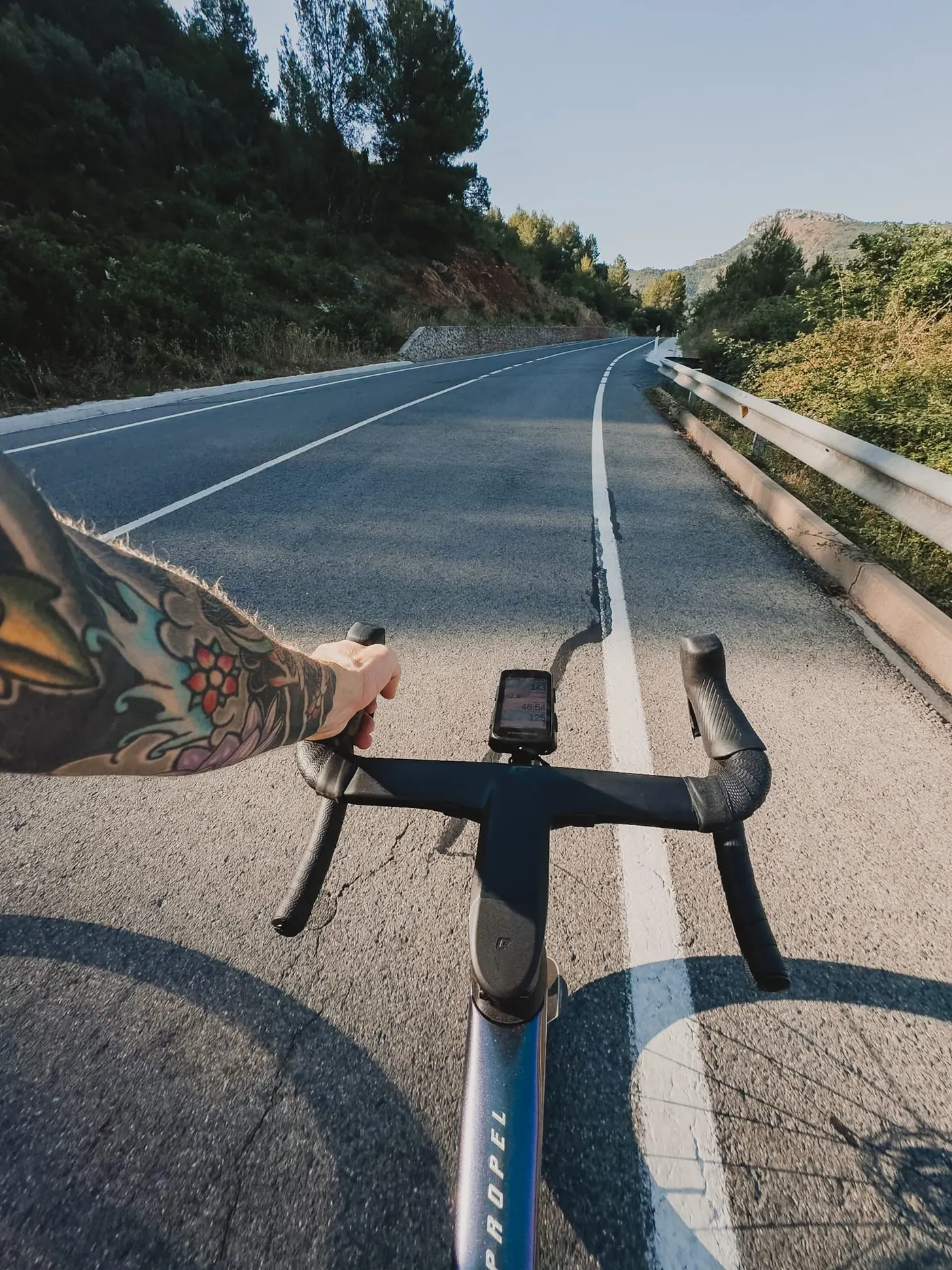
Looking Down: Not all photos have to be scenic, its good to tell the stories or show the stats.
Landscapes: This shows where you are riding the most fun part.
Using Burst Mode for Fast Action
Hold down the shutter to capture multiple frames per second. Ideal for sprints, finish-line moments, or mid-corner shots where timing matters. The only thing to remember about this is the stabilisation with suffer because of it and you may get some blurry images, so makes sure to Pan with the subject. this means moving the camera in the direction the rider is going.
Leveraging the 5x Telephoto Zoom
iPhones 15, 16 and 17 Pro, the 5x telephoto lens is a cyclist’s dream. The 17 even has a 8x optical so use it to:
Capture distant riders in sharp detail.
Frame switchbacks from below for dramatic landscapes.
Compress perspective for cinematic race shots.
Beyond Basics: Creative Techniques for Cyclists
Panning Shots to Capture Motion
I wanted to stick this is as there are limitations, unfortunately this is something that is not easy to do unless you use a third party app, the native camera itself does not allow these controls although you can get some motion effect, but its selective when it wants to be. The 17 pro is much better than the previous models when it comes to this.
Pre Ride
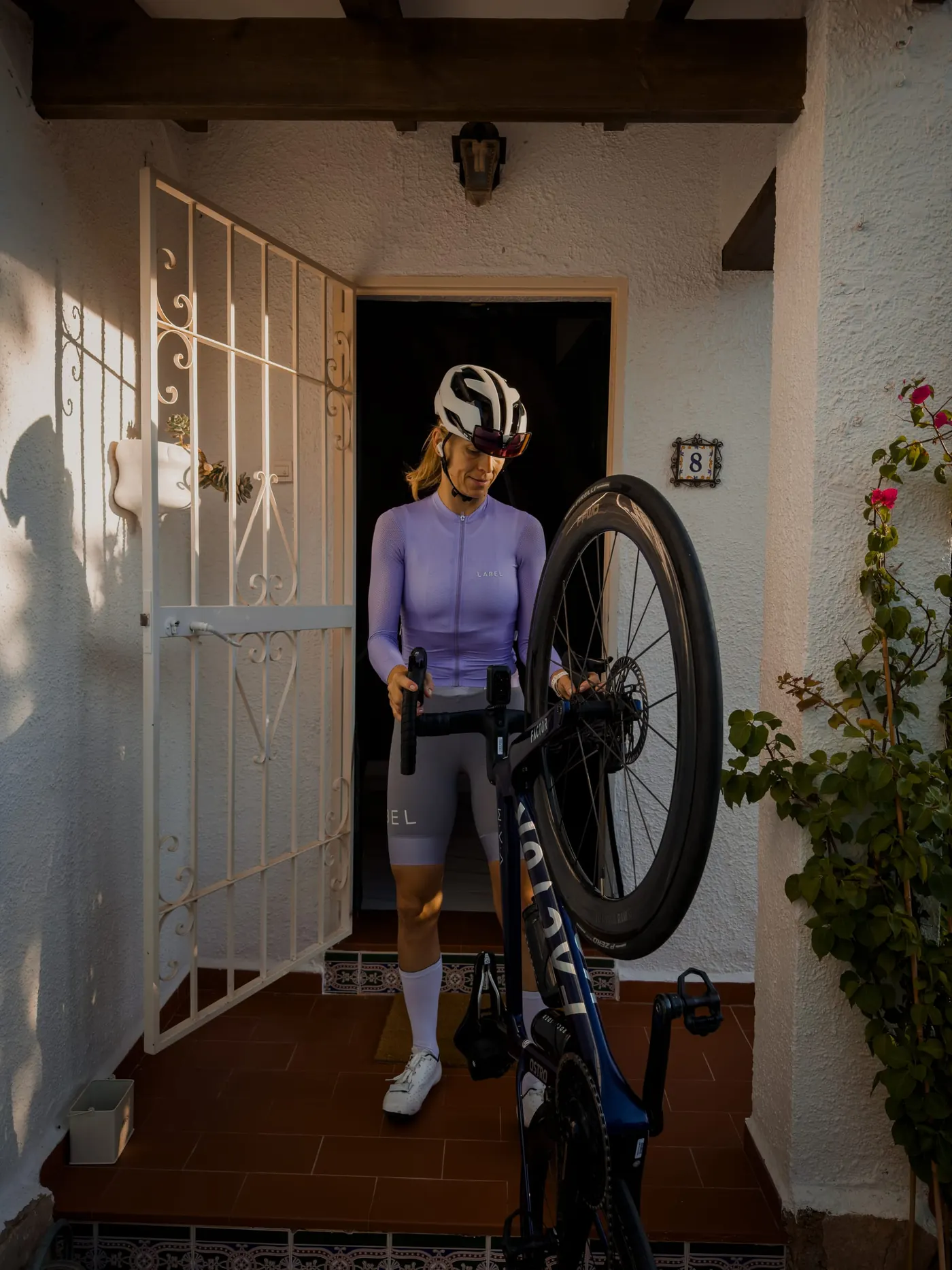
Get some of those pre ride photos to set to story, this could be as simple as getting nutrition ready or leaving the house.
Golden Hour, Shadows, and Reflections
Morning/evening rides give the best light.
Use wheel shadows on tarmac for abstract shots.
Reflections in puddles, glasses, or car mirrors create layered effects.
Ultra-Wide for Group Rides and Scenery
The iPhones ultra-wide lens captures sweeping landscapes or the full dynamic of a peloton in motion.
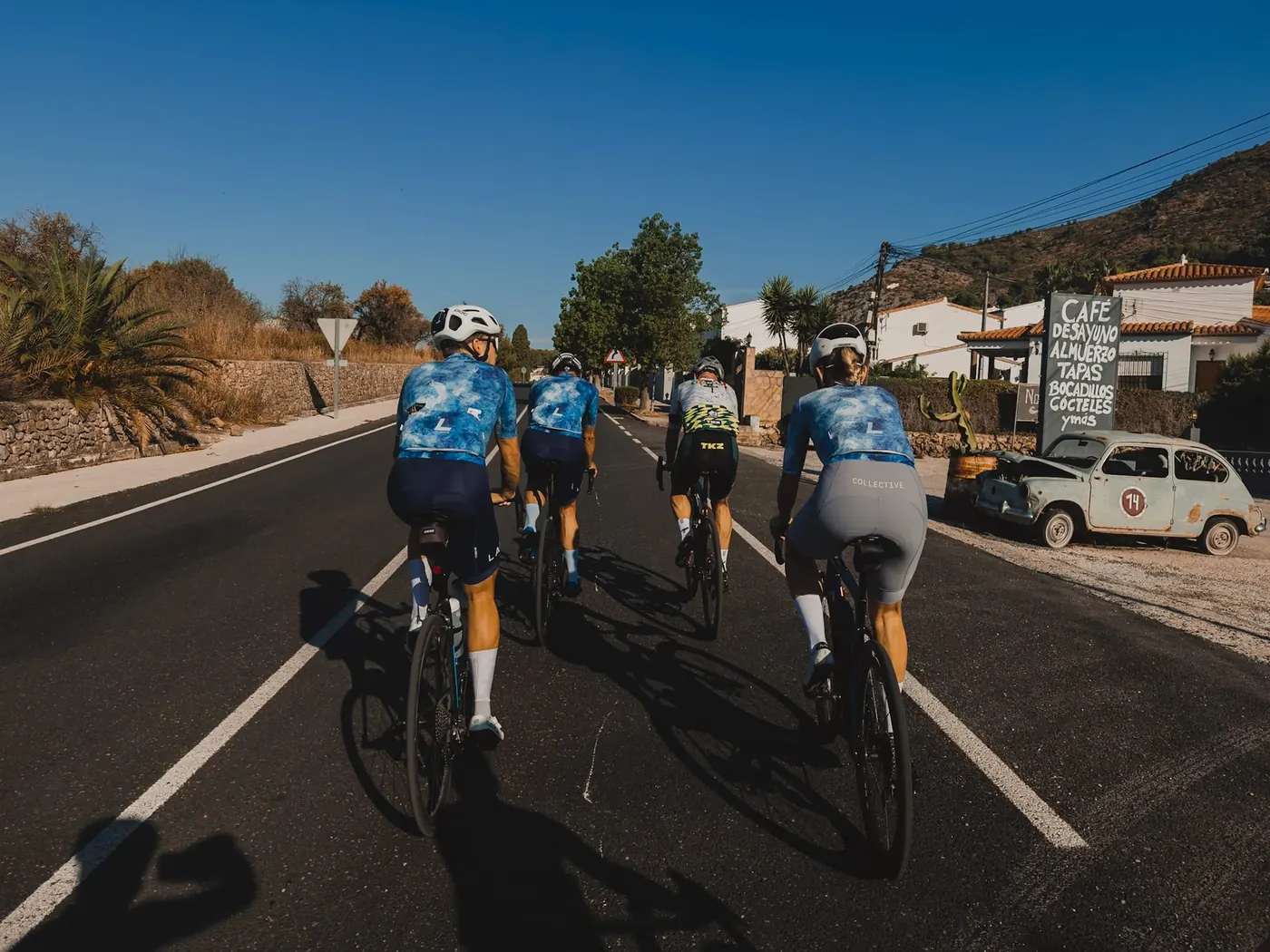
Essential Accessories for iPhone 17 Pro Cycling Photography
Bike Mounts and Tripods
Personally if you're riding on the bike, just avoid using things like this due to stabilisation. It's better just to use your hands like you would a camera. If you want to do video you can use an external case from Small Rig and add a mouth grip.
Clip-On Lenses and Filters
Polarising and ND filters reduce glare from helmets and roads.
Editing Cycling Photos with the iPhone 17 Pro
Capturing is only half the job. Editing brings photos to life, especially for cycling and sports.
Quick Edits in Apple Photos
Lift shadows to reveal riders’ faces.
Boost contrast slightly for muscle and bike detail.
Adjust warmth for golden-hour glow.
I avoid this as I like to have a more rich control in LR mobile, which il go into more detail below.
Why Lightroom Mobile is Essential
For consistent, pro-level results, Lightroom Mobile is unbeatable. Cyclists love it for:
Consistent look across all photos
Colour control—make jerseys pop without over saturating.
Sharpening tools—emphasise bike components and road textures.
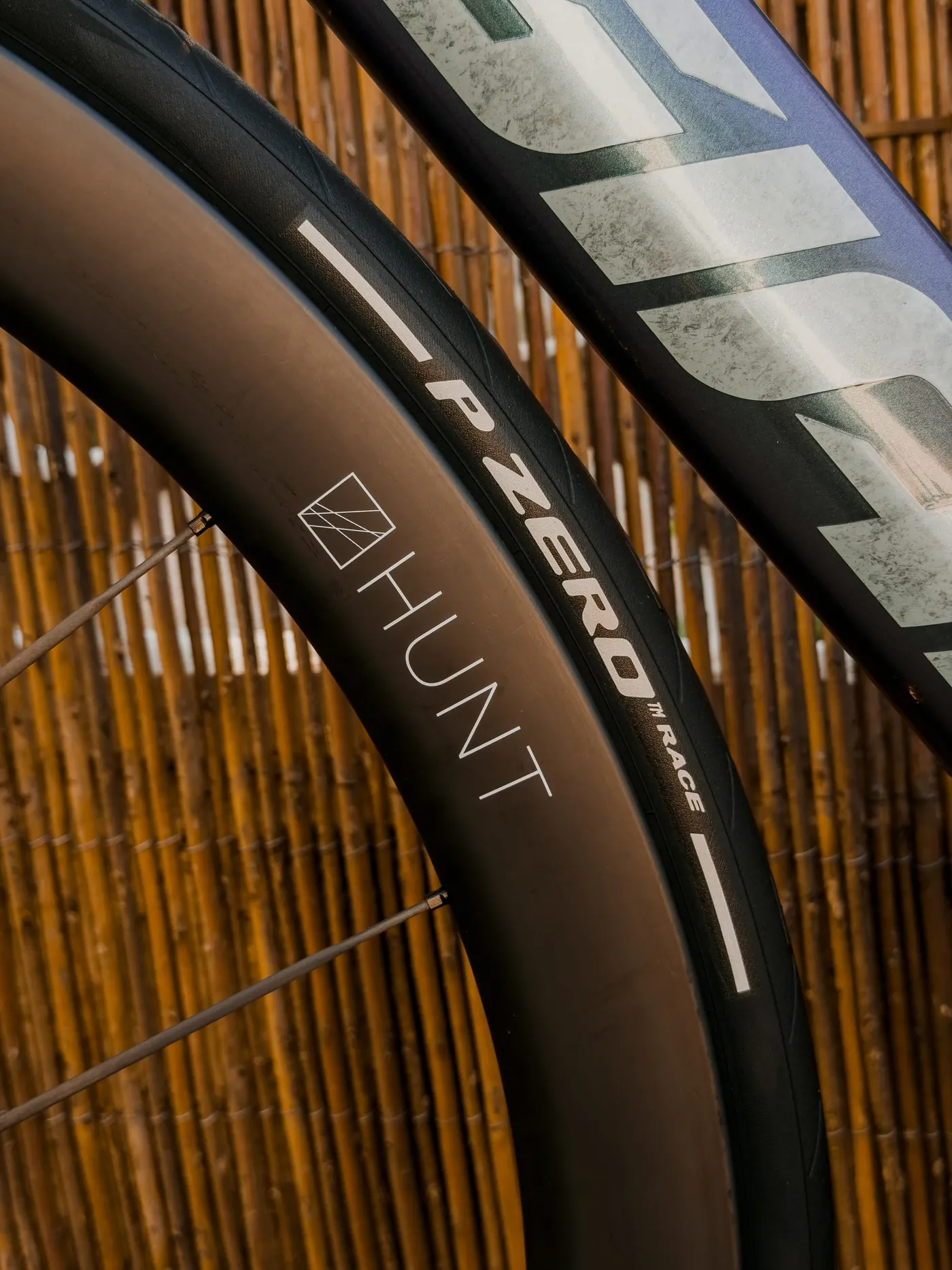
Lightroom Mobile Workflow for Cycling Shots
1. Exposure and Contrast
Lower highlights to rescue bright skies.
Raise shadows to show riders.
Add gentle contrast for depth.
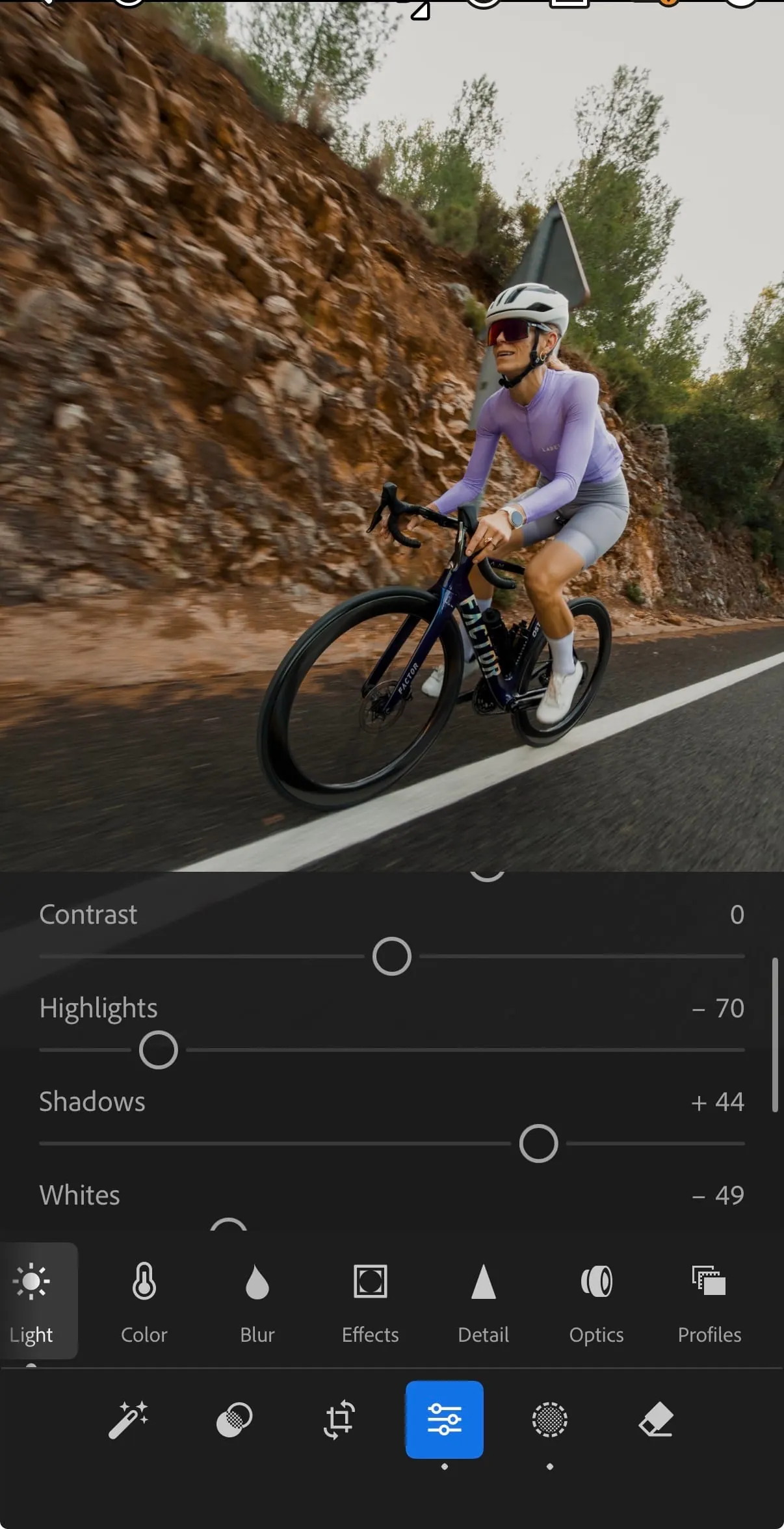
2. Colour Grading
Use HSL sliders for precise jersey, skin, and road tones.
Enhance greens/blues for natural landscapes.
Warm tones for sunrise/sunset rides.
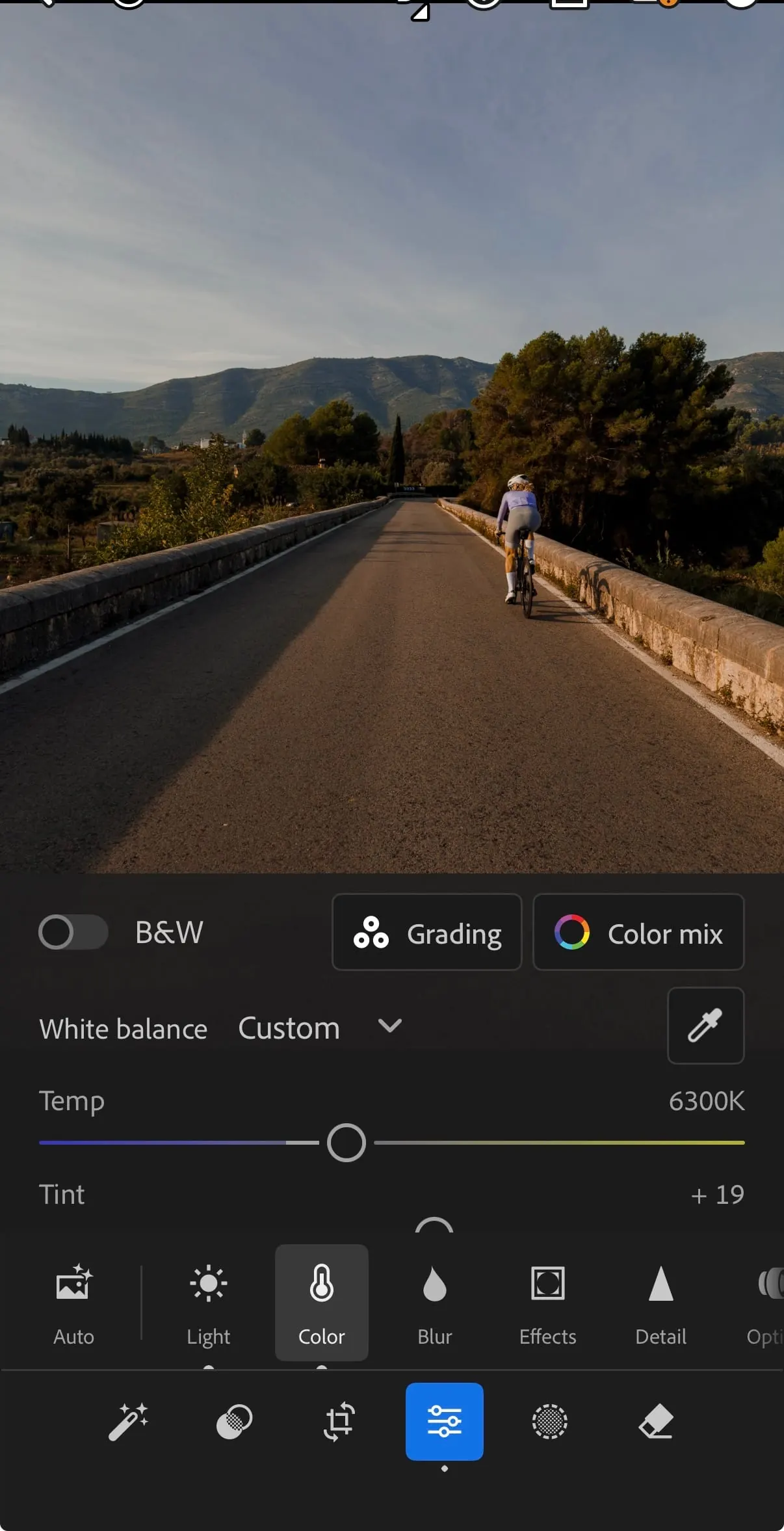
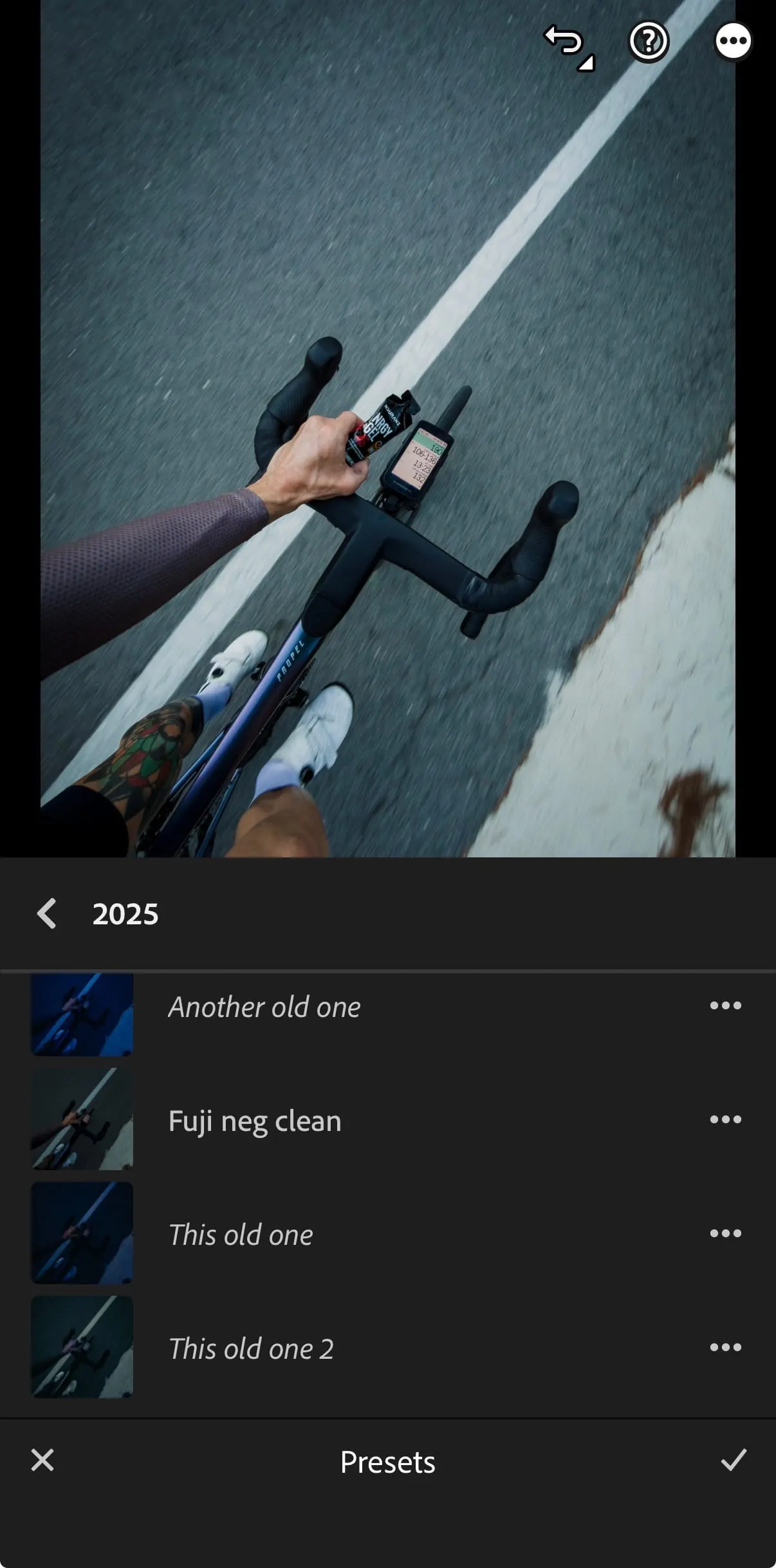
3. Presets for Consistency
Save your edits as presets for future rides—keeps your Instagram or blog cohesive. Please remember that when you apply a preset it isn't always going to look picture perfect from the start. You will have to adjust the exposure and still do work, but it allows you to shave off a bit of the work, your not going to sit and colour grade every image, lets be honest.
Storytelling Through Cycling Photography
Capturing Emotion and Effort
Sweat and grit in close-ups.
Group dynamics—team pushes, summit celebrations.
Rest moments at cafés or on quiet roads.
Visual Narratives
Treat each ride as a mini story:
Start: the roll-out, sunrise, gearing up.
Middle: climbs, attacks, teamwork.
End: summit cheers, medals, or recovery.
Sharing and Showcasing Your Photos
Formats That Work Best
Instagram: vertical (4:5).
Strava: landscape group shots.
Blogs: mix wide landscapes + tight rider shots.
Optimising Resolution
Export at 80–85% JPEG for sharp yet fast uploads.
AirDrop or iCloud to avoid compression or if you are sending to someone on what's app, make sure to do it in HD.
Save ProRAW edits in JPEG for posting, but keep originals in the LR cloud.
FAQs
1. Is the iPhone 17 Pro good enough for sports photography?
Yes. With ProRAW, Action Mode, and the 5x telephoto, it rivals pro cameras for most cycling scenarios.
2. Should I always shoot ProRAW?
Use it for key shots you want to edit. For quick snaps, HEIF/JPEG saves space but it limits what you can do later and the colouring.
3. How do I keep my iPhone safe while riding?
Keep it in jersey pocket like you would anyways, just be cautious on the downhill and places you need to focus. Also get insurance.
4. Can I edit videos on Lightroom Mobile?
Basic edits are possible, however its not the same, VN or CapCut for more advanced cycling videos.
5. Is the Lightroom Mobile subscription worth it?
Yes, the premium tools (masking, selective edits) take cycling photography to another level, it's worth the money and you get cloud storage too.
Conclusion: The iPhone 17 Pro—Your Sports Camera in a Jersey Pocket
The iPhone 17 Pro turns every ride into an opportunity for professional-level photography. With its 48MP sensor, exclusive 5x telephoto lens, and ProRAW flexibility, you don’t need bulky gear to document your rides like a pro.
Pair it with creative techniques, smart accessories, and a Lightroom Mobile workflow, and you’ll capture not just rides—but stories of speed, effort, and adventure.
Your iPhone 17 Pro isn’t just a phone. It’s your cycling camera, creative partner, and storyteller on two wheels.